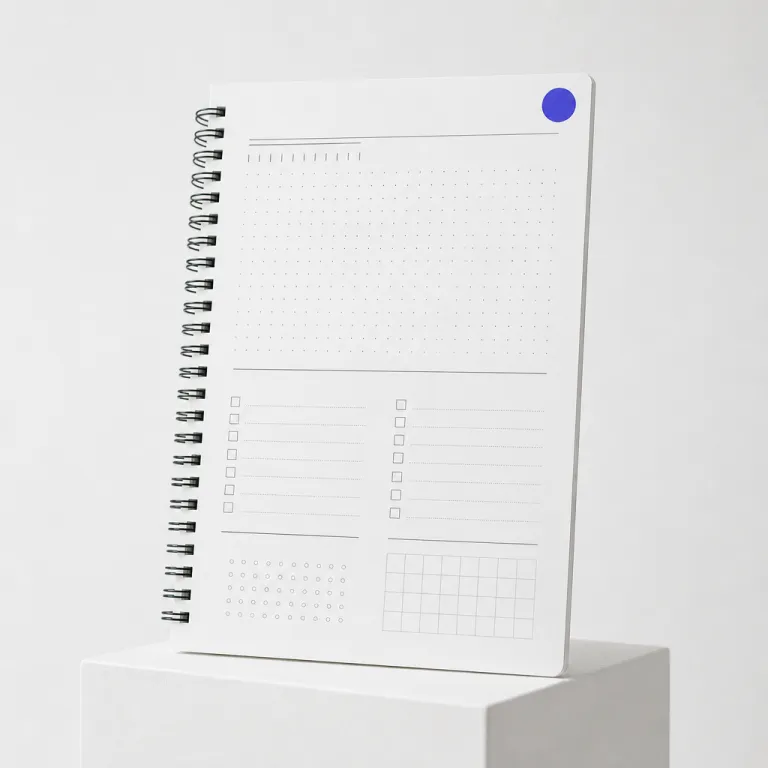
Understanding whether you can print on notebook paper in work tech contexts
Many professionals quietly ask whether they can print on notebook paper without ruining their devices. In work tech environments where hybrid meetings and digital workflows dominate, the humble notebook still matters for capturing text quickly and aligning it with online tools. The real question is how to align paper, notebook, and printer settings so that printing supports productivity instead of creating extra work.
From a technical standpoint, you can usually print on notebook paper if the paper size matches what your printers support. Most office laser printers and inkjet printers are calibrated for standard A4 (210 × 297 mm) or A5 (148 × 210 mm) paper, so any notebook with those dimensions can work if you adjust the tray guides carefully. For reliable feeding, manufacturers such as HP and Canon typically recommend paper weights between 70–90 gsm for everyday printing, which matches most lined notebook refills. When the notebook is spiral bound, the metal or plastic rings can interfere with printing, so you often need to remove the sheet before you print and then reinsert it to keep long term notes together.
Work tech teams care about print quality because printed notebook pages often become part of project documentation. When you print notebook content such as meeting agendas or workflow diagrams directly onto lined paper, you reduce manual copying and avoid ink heavy scribbles that are hard to digitize later. This is why many digital workplace leaders now treat paper print workflows as part of their broader notebook printing strategy, especially when they want to create a personalized notebook that mirrors templates used in project management software or knowledge systems.
Key components of work tech when printing on lined notebook paper
Understanding the key components of work tech helps you decide when printing notebook pages makes sense. A modern digital workplace combines cloud platforms, collaboration tools, and physical artifacts such as printed notebook pages that employees still rely on for focus work. When you align notebook paper usage with your digital workplace strategy, you can reduce duplication of effort and keep both paper and online records synchronized.
Three components matter most when you print on lined paper for work purposes. First, the printer infrastructure must support consistent print quality on thinner paper lined sheets, especially when you run high volume batches for workshops or training sessions. Many multifunction devices include a “thin paper” or “lightweight paper” media type in the driver; selecting this option slows the print speed slightly and reduces heat or ink load, which helps prevent curling. Second, your templates for printing notebook layouts need correct spacing so that the printed text aligns with the existing lines, which avoids ink bleed at the margins and keeps handwritten annotations legible.
Third, your operating model for the digital workplace should define when to use printed notebook materials versus purely digital formats. For example, some teams use printed notebook inserts for design sprints, then capture outcomes in a digital workplace strategy for a high performing workforce described in this resilient digital workplace guide. In that scenario, each printed notebook page becomes a bridge between analog brainstorming and structured online documentation, and the paper will support both quick sketches and later scanning.
Printer types, ink behaviour, and print quality on notebook paper
Choosing between laser printers and inkjet printers is critical when you print on notebook paper for professional use. Laser printers fuse toner onto the surface of the paper, which usually means less ink bleed and sharper text on thin notebook sheets. Inkjet printers spray liquid ink, so they can produce high quality colour diagrams but may cause more ink bleed on low weight paper lined pages.
For work tech teams that run high volume printing notebook jobs, laser printers often provide better long term cost control and more consistent print quality on standard notebook paper. For instance, many enterprise monochrome laser models are rated for duty cycles of tens of thousands of pages per month and are optimized for 75–80 gsm office paper, which matches common lined refills. However, when you need to create custom templates, such as a personalized notebook with colour coded sections that match your project management software, inkjet printers can offer richer tones and smoother gradients. The trade off is that you must carefully adjust print settings to avoid ink saturation that warps the paper size or curls the edges.
Whatever printer you choose, always run a pre test on a single sheet before committing to a full paper print batch. Set the printer driver to the correct paper size, reduce the ink density slightly, and align the margins so that the printed lines or text do not clash with the existing lined paper structure. Many drivers label this as “draft,” “toner save,” or “economy” mode, which lowers coverage while keeping text readable. For organizations formalizing these practices, it helps to embed them into a digital workplace strategy operating model such as the one outlined in this operating model for digital workplaces, ensuring that notebook printing becomes a controlled, repeatable process.
Designing templates to print on lined notebook pages
Effective template design determines whether you can print on notebook paper without visual chaos. Start by measuring the exact spacing between lines on your notebook, then set matching line spacing in your word processor so that printed text sits neatly on each ruled line. Many A4 notebooks use a ruling of 7–8 mm; if your measurement is 7 mm, set line spacing to 0.7 cm or 19.8 pt. This alignment between digital layout and physical lines makes the printed notebook page feel intentional rather than improvised.
When you create templates for printing notebook content, pay attention to margins, headers, and footers. Many notebooks have pre printed margins or page numbers, so your digital template should avoid those areas to maintain high quality readability and leave room for handwritten notes. A simple calibration workflow helps: print your layout on plain A4 paper, place it behind a notebook sheet, hold both against a window or lamp, and check whether the baselines match the ruled lines; then nudge line spacing up or down by 0.1–0.2 pt until alignment is precise. You can also design print lined grids for task lists, sprint boards, or meeting agendas that mirror the structure of your work management tools, which helps employees move between paper and screen without cognitive friction.
In work tech focused organizations, template libraries often live in shared drives or intranet spaces curated by digital workplace teams. A well maintained library might include paper lined daily planners, project canvases, and retrospective boards that staff can print on notebook paper whenever they need analog focus time. To make these assets more practical, teams often provide downloadable PDF templates and annotated screenshots showing recommended printer settings for A4 and A5 notebooks. To keep these assets aligned with broader digital strategy, some companies work with specialists in SEO driven content and workflow design, as explained in this article on transforming digital strategies for work tech, where content, templates, and tools reinforce each other.
Operational best practices to avoid ink issues and paper jams
Operational discipline makes the difference between smooth notebook printing and constant frustration. Before any high volume run, fan the stack of notebook paper to reduce static, then align it carefully in the tray so the paper will feed straight. This simple pre step reduces misfeeds and helps both laser printers and inkjet printers handle non standard paper more reliably.
To avoid ink problems, adjust print settings for lower ink coverage when working with thin notebook paper. Heavy colour blocks or dense graphics increase the risk of ink bleed, especially near the edges where the paper may already be slightly curved from binding. For lined paper that already carries strong blue or grey lines, consider using darker text but lighter shading in diagrams so that the overall print quality remains high without overwhelming the existing lines.
Work tech leaders should also define retention rules for printed notebook materials, because long term storage of paper carries both security and compliance implications. Sensitive notes printed on notebook paper after a strategy workshop might need secure shredding once their content has been digitized, while generic templates for a blog planning session can be reused or recycled. Embedding these practices into team playbooks ensures that every printed notebook page supports productivity without creating unmanaged information risks.
Integrating printed notebook workflows into digital work tech ecosystems
Printed notebook pages should not sit outside your digital ecosystem if you want coherent work tech. When you print notebook templates for workshops or one to one meetings, plan in advance how those annotated pages will be captured, tagged, and linked back to digital records. This integration keeps paper, notebook, and platform data aligned, reducing the chance that critical text remains trapped offline.
Many teams now use mobile scanning apps to capture printed notebook outputs immediately after sessions. A facilitator might collect all paper lined canvases, scan them into a shared workspace, and then assign follow up tasks in a project tool, ensuring that the long term value of those notes is preserved. To maintain high quality scans, encourage participants to write within the printed lines and avoid ink colours that are hard to recognize with optical character recognition.
From a work tech governance perspective, every paper print workflow should map to a clear digital endpoint. That might be a knowledge base article, a project record, or a blog draft that started life on a printed notebook page and then moved into a content management system. When organizations treat printing notebook materials as part of an intentional operating model rather than an ad hoc habit, they gain better traceability, stronger collaboration, and more reliable knowledge transfer across teams.
Key statistics about printing on notebook paper in work tech
- Industry surveys consistently show that office workers still print thousands of pages per year on average, confirming that paper remains embedded in digital workplaces even as collaboration tools expand.
- Independent print management analyses indicate that laser printers typically offer noticeably lower cost per page than inkjet printers for high volume monochrome jobs, which matters when printing notebook templates at scale.
- Research from multiple print security studies has found that a majority of organizations consider print security a top concern, highlighting the need for clear policies when sensitive content is printed on notebook paper.
- Enterprise content management reports show that more than half of companies now use mobile capture or scanning to digitize paper based information, supporting integrated workflows where printed notebook pages are quickly converted into searchable digital records.
FAQ about printing on notebook paper for work tech use
Can you safely use office printers to print on notebook paper ?
Most office printers can safely handle notebook paper as long as the paper size matches supported formats and the sheets are flat, clean, and free from torn edges or binding rings. Remove pages from spiral or glued notebooks before printing to avoid jams, then reinsert them if you need to keep them bound. Always run a single test sheet first to confirm that feed, alignment, and print quality are acceptable.
How do you align text with existing lines on lined paper ?
Measure the distance between lines on your lined paper, then set the same line spacing in your document editor. Adjust top and bottom margins so that the first and last lines of text sit neatly within the ruled area, not on the borders. Print a draft on plain paper first, hold it behind a notebook sheet against a light source, and fine tune spacing until the printed lines match.
Which is better for notebook printing, laser or inkjet devices ?
Laser printers are usually better for monochrome notebook printing because they reduce ink bleed and deliver crisp text on thin paper. Inkjet printers excel when you need colour rich diagrams or custom layouts, but they require careful settings to avoid over saturating notebook paper. For high volume office use, many organizations standardize on laser printers and reserve inkjet printers for specialised, high quality colour work.
How can teams avoid ink bleed when printing on thin notebook sheets ?
To avoid ink bleed, choose a print mode with lower ink density, such as draft or eco, and avoid large solid colour areas near the edges of the page. Use high quality notebook paper with slightly higher weight when possible, because very light sheets absorb more ink and warp more easily. If problems persist, switch complex graphics to grayscale or move them to separate inserts printed on heavier paper.
What is the best way to integrate printed notebook pages into digital workflows ?
The most effective approach is to define a standard capture process where printed notebook pages are scanned immediately after use and stored in a shared digital workspace. Use consistent file naming, tagging, and linking so that each scanned page connects to a project, meeting, or knowledge base entry. This ensures that analog insights from printed notebook materials contribute directly to your broader work tech ecosystem.
